
General
Application header
Section titled “Application header”The WordPress application has its own header. The marketing website and this documentation hub use a different navigation bar.
The application header provides the main menu, a Construkted Reality home link, search, New project, Upload asset, and your avatar menu. On a narrow screen, some controls collapse or move. Search results respect content visibility; search isn’t a way to access another user’s private account information.

Avatar menu
Section titled “Avatar menu”Open your avatar in the top-right corner to find these account links:
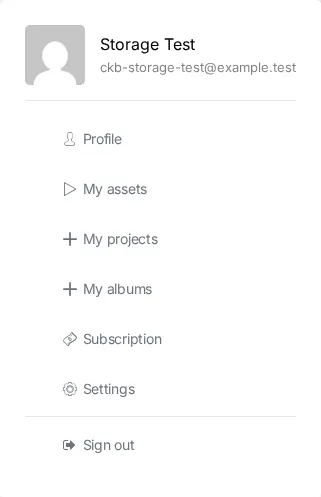
- Profile: Open your profile.
- My assets: Check uploaded files and processing status.
- My projects: Open your projects.
- My albums: Organize assets into collections.
- Subscription: Manage plans, Additional Storage, cards, and payments.
- Settings: Change account and profile settings.
- Sign out: End your session.
The same account sections appear as tabs on your profile. Subscription is the navigation label; Subscriptions is the heading above the billing table.